


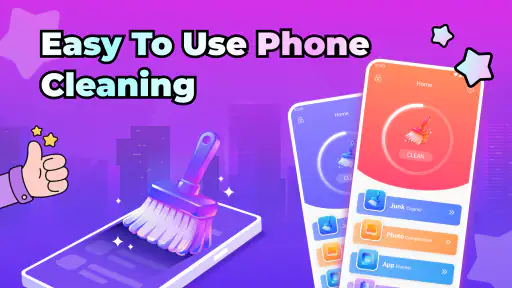
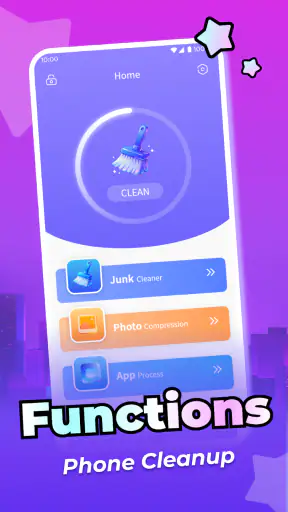
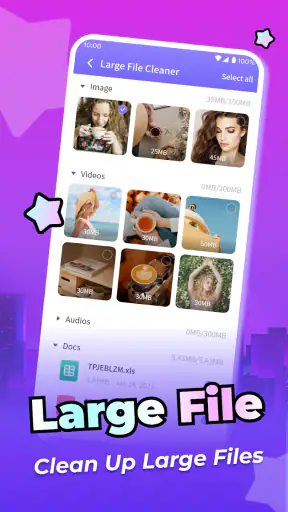
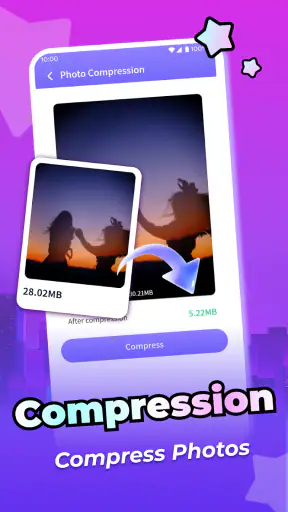
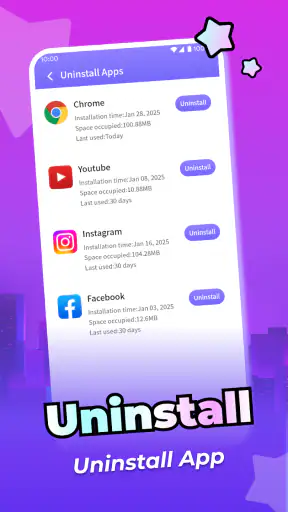
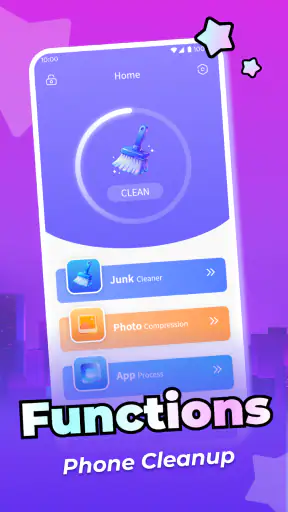
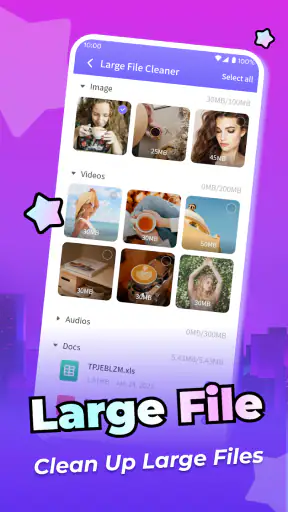
Cleaning an Android phone sounds simple until storage warnings, duplicate downloads, old screenshots, and forgotten temporary files begin competing for attention. Deep Clean Elite, developed by PDI Turbo, takes a focused productivity approach to that problem. I found its appeal less in the idea of “cleaning everything” and more in giving a busy phone owner a single place to inspect unwanted clutter before deciding what deserves to go.
The app is free, aimed at everyone, and currently listed as version 1.1.1 for Android 6.0 and later. Its public reception is encouraging, with a 4.4 average from around 7.7 thousand ratings and more than a million installs. Those figures suggest that it has reached a sizeable audience, but they do not replace the practical question that matters more to me: does it make routine phone maintenance easier without turning a useful cleanup into a risky one?
How Deep Clean Elite fits into everyday phone maintenance
In my experience, the best cleaner is not the one that promises the most dramatic result. It is the one that helps me understand what is taking up space and lets me remove it with enough control to avoid regret. That is the standard I used here. Deep Clean Elite is positioned as a productivity app rather than a general device-management suite, so I approached it as a tool for reclaiming attention and storage, not as a replacement for Android settings, file managers, or security software.
A realistic use case is a phone used for work, messaging, travel, and photos. After a few weeks, the device may contain several copies of images shared in conversations, screenshots that were useful for one day, downloaded documents that were never opened again, and media saved by multiple apps. The problem is rarely finding one enormous file. It is the slow accumulation of small decisions postponed until the phone feels crowded. A dedicated cleaning workflow can be useful precisely because it brings those decisions together.
I would not install it expecting a magical speed boost. Removing unnecessary files can make storage management more comfortable, but it does not automatically repair an aging battery, improve a weak mobile signal, or transform an older processor. That distinction is important. Deep Clean Elite makes the most sense when your problem is digital clutter and the time required to sort it, not when you are looking for a universal performance cure.
Connectivity changes the first impression
Because cleaning tools often need to inspect local content, the most important part of the experience is what happens when the phone is connected, busy, or temporarily unable to complete a task. Network conditions can shape the surrounding experience even when the files being reviewed are stored on the handset. Screens may load more slowly, promotional elements may not appear immediately, or a scan-related action may feel delayed while the connection is unstable.
I recommend opening the app on a reliable connection for the first setup and initial inspection. That is not because I would assume every cleaning action requires the internet; the safer habit is simply to avoid judging the app during a moment when the network is struggling. If you are standing in a train station, switching between weak cellular coverage and public Wi-Fi, a delayed screen can make you wonder whether the scan is still working. Waiting until the interface is responsive gives you a clearer basis for deciding what to delete.
This also affects trust. A cleanup tool asks me to make irreversible choices, so I want the app to feel predictable before I confirm anything. If content appears gradually, I prefer to let the review finish rather than selecting items while the list is still changing. The practical lesson is simple: treat network interruptions as a reason to pause, not as a reason to repeatedly tap the cleanup controls.
Using it on a phone rather than at a desk
Deep Clean Elite is most useful in short mobile sessions. I can imagine opening it while waiting for a bus, before downloading a large map, or after a weekend trip when the camera folder has become difficult to navigate. Those moments are more realistic than setting aside an entire afternoon for digital housekeeping. A focused session is easier to complete when the app presents a manageable review rather than making me browse through every folder manually.
Still, phone-based cleanup has a weakness: the smaller screen makes context more important. A filename that looks obvious on a desktop may be ambiguous on a handset. Two similar images may be different crops, or one may be the original while another is an edited copy. I would never approve a large batch purely because the thumbnails look alike. I would enlarge uncertain items, check their location or surrounding context where available, and remove only what I could identify confidently.
My preferred routine is to begin with low-risk clutter. Screenshots of temporary information are easier to recognize than personal photographs, work documents, or media saved from a conversation. Once those obvious items are gone, I would stop and check the available storage before moving to more sensitive categories. This two-stage approach reduces the chance that a quick mobile cleanup turns into a frantic recovery exercise.
Another useful habit is to avoid cleaning immediately before an important journey or presentation. If I need a phone for navigation, boarding passes, or work files, I would rather perform the review earlier, while I have time to notice a mistake. A cleaner phone is helpful, but a stable phone with all necessary documents available is more valuable when the margin for error is small.
What happens when a cleanup session fails
Any file-management tool deserves a cautious workflow because deletion is the point at which convenience can become damage. If a scan takes longer than expected, the app appears unresponsive, or the connection drops during the surrounding experience, I would avoid force-closing it in the middle of a confirmation step. I would wait briefly, return to the screen only after it responds, and verify the selected items again.
Before using a cleaner, I recommend protecting the things that would be painful to lose. Important photographs should already exist somewhere else, and documents needed for work or travel should not depend on a single copy on the phone. This is not a criticism unique to Deep Clean Elite; it is a sensible rule for every tool that helps remove files. The app can organize the decision, but it cannot make an irreplaceable memory replaceable.
Recovery planning also changes how aggressively I use the app. On a phone with plenty of free space, I would choose precision over speed and review categories gradually. On a nearly full phone, I might first remove files I can identify without hesitation, then restart the device or reopen the relevant storage view before continuing. That gives me a chance to confirm that the available space changed as expected instead of assuming a completed action from a single screen.
There is a trade-off here. A one-tap cleanup may feel satisfying, but a slower review is usually better for personal media. The more emotionally or professionally valuable the files, the less I want automation to make the final decision. Deep Clean Elite is therefore strongest as an inspection assistant. I would use it to narrow the field, not to surrender judgment.
Being careful with data and network use
Connectivity deserves attention for another reason: a phone-cleaning session may happen while I am using mobile data. I prefer to run maintenance when connected to trusted Wi-Fi, especially if the app is loading screens or presenting a large amount of content. Even without assuming how every process is implemented, this is a sensible way to avoid unnecessary network uncertainty and to keep the experience consistent.
I also think about privacy whenever an app deals with photographs, downloads, or documents. The safest approach is to read each permission request in context and grant only what is needed for the task I intend to perform. If a request appears unrelated to identifying local clutter, I would pause rather than approving it automatically. A cleaner should reduce confusion, not encourage me to ignore what the phone is being allowed to access.
For people with limited data plans, timing matters. I would avoid combining a cleanup session with video streaming, cloud backups, and large downloads. Running several data-heavy activities at once makes it harder to tell whether a delay comes from the cleaner, the network, or another app. A quiet maintenance window produces a more reliable impression and makes it easier to notice whether the phone actually feels less crowded afterward.
There is also a human side to data-conscious use. When I am tired, distracted, or rushing, I am more likely to approve a broad selection without checking it. That is when I would postpone the session. The best cleanup result is not the largest number of removed files; it is a smaller, confident set of deletions that I will not miss later.
Where it beats familiar alternatives
The usual alternatives are Android’s built-in storage controls, a file manager, or manual browsing through gallery and download folders. Those options have real advantages. System settings are already part of the phone, file managers offer direct control, and manual browsing can be the clearest choice for someone who knows exactly where the clutter lives. If you only need to delete one folder, installing a separate cleaner may add an unnecessary step.
Deep Clean Elite becomes more attractive when the problem is scattered attention. Instead of remembering which locations to check, I can approach maintenance as a dedicated task. That matters for people who repeatedly postpone cleanup because opening several system screens feels tedious. The value is organizational: it turns an irregular chore into something I can address in a short, deliberate session.
On the other hand, I would choose a file manager when I need detailed folder-level control, unusual file formats, or a clear view of a document’s exact path. I would use Android’s own tools when I want the most direct system-level explanation of storage usage. And I would not confuse Deep Clean Elite with a backup service, a privacy monitor, or an antivirus product. Those jobs require different tools and different expectations.
The app also may not suit someone who keeps a carefully organized phone already. If your photos are sorted, downloads are reviewed regularly, and system storage is comfortable, the benefit may be occasional rather than constant. Its strongest audience is the person whose clutter builds quietly and who wants help finding a starting point without manually opening every likely location.
Small habits that make the app more useful
I found that the quality of the result depends as much on the workflow as on the app itself. I would begin by checking what I need to keep for the next few days: tickets, directions, offline reading, work attachments, and recent photos. Marking those mentally before scanning prevents the common mistake of treating “old” as synonymous with “unimportant.” A file can be several weeks old and still be essential.
My second tip is to clean by confidence, not by category size. A large group of screenshots may be safe to review, while a small group of similar photographs may require much more attention. Removing ten obvious items is better than deleting a hundred uncertain ones. This approach is especially useful on a phone shared with family members or used for both personal and professional tasks.
A third tip is to use the app as a recurring checkpoint rather than an emergency measure. I would schedule a quick review after a trip, a project deadline, or a period of heavy messaging. Those events create predictable clutter. Addressing it soon afterward makes the files easier to recognize and reduces the chance that an important item gets lost in a much larger pile later.
Finally, I would compare the result with the phone’s own storage view. If the main goal is freeing space, the system screen provides a useful reality check. If the goal is simply making media easier to manage, the visible improvement may be organizational rather than dramatic. That distinction keeps expectations realistic and helps me decide whether the app deserves a regular place in my routine.
Who should install it, and who should pass
I would recommend Deep Clean Elite to Android users who feel that storage clutter is spread across too many everyday activities. It is particularly suitable for people who take many screenshots, receive lots of media in chats, download files for temporary use, or prefer a guided cleanup over manual folder hunting. The free price also makes it easy to try without committing money to a task that may only be needed occasionally.
I would be more cautious about recommending it to someone who wants complete technical control. Advanced users may prefer a file manager that exposes every path and lets them make their own decisions without a dedicated cleaning layer. People with highly sensitive documents should also take extra time to review selections and permissions, regardless of which cleanup method they choose.
The age rating of Everyone makes the app broadly approachable, but simplicity should not be mistaken for permission to delete casually. Younger users, family members, or anyone unfamiliar with Android storage should be shown what kinds of files are safe to remove before starting. A short explanation can prevent the most common misunderstanding: that a file is disposable merely because it is old or duplicated in appearance.
For a phone that is malfunctioning, overheating, losing signal, or suffering from battery wear, I would look elsewhere first. A storage cleaner cannot be expected to solve hardware trouble or connectivity problems. In those cases, Android’s diagnostic tools, the phone manufacturer’s support options, or a repair professional would be more appropriate than repeated cleanup attempts.
My connectivity verdict
Deep Clean Elite works best when I treat it as a calm, deliberate companion to Android’s existing storage tools. Network quality can influence how smoothly the surrounding interface behaves, so I would use it on a stable connection, avoid rushing through a weak-signal moment, and keep mobile data considerations in mind. Those habits do not make the app more powerful, but they make the experience easier to judge and less stressful.
What I like most is the focused purpose. PDI Turbo has made a free productivity app for people who need help turning scattered phone clutter into a manageable review. Its limitations are equally clear: it should not replace backups, careful file identification, system diagnostics, or a proper security tool. The right question is not whether it can make every phone faster. It is whether it can help you make safer, more organized decisions about what no longer belongs on your device.
After using it, my recommendation is positive for the right user. Deep Clean Elite is most valuable when it reduces the friction of deciding what to remove, not when it encourages blind one-tap deletion. If your storage problem comes from accumulation rather than a single obvious folder, it is worth trying. If your phone is already organized or you require precise technical control, Android’s built-in options or a full file manager may serve you better.
With over a million installs and a 4.4 average, it has clearly found an audience, and its current version is 1.1.1. I would still judge it by the quality of my own cleanup routine: use a stable connection, protect important files elsewhere, review uncertain items manually, and verify the result afterward. Used that way, the app becomes a practical maintenance aid rather than a risky shortcut.


